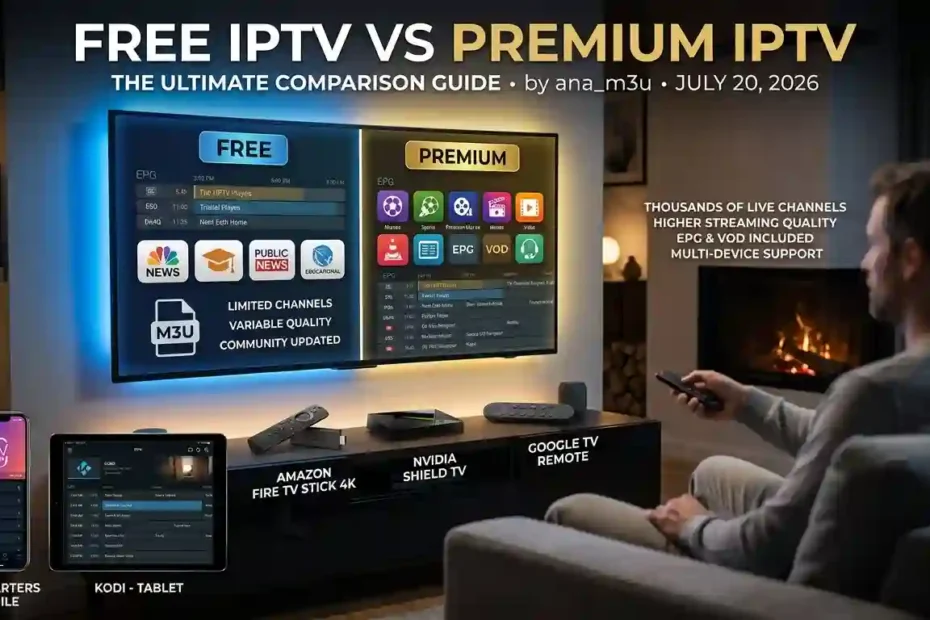
One of the biggest decisions IPTV users face is whether to use free public playlists or subscribe to a premium IPTV service. Both options have advantages and limitations, and the best choice depends on your viewing habits, expectations, and budget.

Free IPTV
Free IPTV playlists are widely available online and often include public television channels, educational broadcasts, government stations, and other legally accessible streams.
Advantages
- Completely free to use
- Easy to find and test
- No long-term commitment
- Great for casual viewers
- Compatible with most IPTV players
Disadvantages
- Channels may stop working without notice
- Playlist quality varies significantly
- Limited customer support
- Some playlists contain duplicate or outdated streams
- Popular channels can become overloaded during peak hours
Free IPTV is an excellent way to explore IPTV technology, but users should expect occasional interruptions and playlist maintenance.
Premium IPTV
Premium IPTV providers typically offer subscription-based access to a larger selection of channels and additional features.
Depending on the provider, premium services may include:
- Thousands of live channels
- Movies and TV series
- Electronic Program Guide (EPG)
- Video on Demand (VOD)
- Multi-device support
- Higher streaming quality
- Customer support
Because service quality varies widely, always research a provider before subscribing and avoid offers that seem unrealistic.
Which Option Is Better?
The answer depends on your needs.
Choose Free IPTV if you:
- Watch television occasionally
- Want to learn how IPTV works
- Prefer publicly available streams
- Don’t mind updating playlists
Choose Premium IPTV if you:
- Watch television every day
- Want a larger channel selection
- Prefer consistent performance
- Value customer support and additional features
Many users actually combine both approaches by using free public playlists for news and public broadcasters while maintaining a premium subscription for additional content.
IPTV Playlist Safety Tips
While IPTV technology itself is perfectly legitimate, not every playlist shared online is trustworthy.
Before importing any IPTV playlist, follow a few basic precautions.
Download Playlists from Reputable Sources
Use playlists maintained by established communities or official organizations whenever possible.
Frequently updated playlists are generally more reliable than files that have remained unchanged for months.
Avoid Suspicious Downloads
Be cautious of websites asking you to install unknown software before accessing playlists.
Legitimate M3U playlists are simple text files or URLs and should not require additional executable programs.
Keep Your IPTV Player Updated
Regular software updates improve compatibility, fix bugs, and enhance security.
Whether you use TiviMate, IPTV Smarters, VLC, Kodi, or another player, installing updates helps ensure the best experience.
Use a Secure Internet Connection
A stable internet connection improves playback quality and reduces buffering.
Many users also choose to use a VPN for additional privacy, especially when connecting through public Wi-Fi networks. A VPN can encrypt your internet traffic, but it does not change the legal status of the content you access.
Legal Considerations
IPTV is a method of delivering television over the internet—it is not inherently legal or illegal.
What matters is whether the content being streamed is authorized.
Many broadcasters, governments, universities, and public organizations provide free, legitimate IPTV streams.
However, some online playlists may include channels without the necessary distribution rights.
Before using any IPTV playlist:
- Verify that the source is reputable.
- Respect copyright laws in your country.
- Use only streams that are authorized for public distribution.
Understanding this distinction helps you enjoy IPTV responsibly while supporting legitimate content providers.
Frequently Asked Questions
What is an IPTV playlist?
An IPTV playlist is a collection of streaming links organized into a single M3U file or URL that an IPTV player can read and display as television channels.
What is an M3U playlist?
An M3U playlist is a text-based file containing media stream URLs. It allows IPTV players to organize and play live television channels, radio stations, and other streaming content.
Are free IPTV playlists updated?
Some are updated daily, while others become outdated quickly. Community-maintained playlists are generally updated more frequently than static downloads.
Which IPTV player is the best?
The answer depends on your device and preferences.
Popular choices include:
- TiviMate
- IPTV Smarters
- VLC Media Player
- Kodi
- OTT Navigator
- Perfect Player
Each offers different features and compatibility.
Why are some IPTV links not working?
Common reasons include:
- The broadcaster changed the stream URL.
- The playlist hasn’t been updated.
- The server is temporarily unavailable.
- Your internet connection is unstable.
- The IPTV player needs to refresh the playlist.
Can VLC open IPTV playlists?
Yes.
VLC Media Player supports both local M3U files and remote M3U URLs, making it one of the easiest ways to test IPTV playlists on a computer.
What is the difference between an M3U file and an M3U URL?
An M3U file is downloaded and stored on your device.
An M3U URL points to an online playlist that can update automatically whenever the source changes.
Can I use one playlist on multiple devices?
Most M3U playlists can be imported into multiple compatible IPTV players, provided the playlist source allows it. Synchronization features depend on the player you use.
Final Thoughts
Free IPTV links and M3U playlists provide a flexible way to access publicly available television streams from around the world. Whether you’re watching news, educational programming, music channels, or international broadcasts, IPTV offers an alternative to traditional television that works across smartphones, computers, Smart TVs, and streaming devices.
The key to a good experience is choosing reliable playlists, keeping them updated, and using a quality IPTV player such as TiviMate, IPTV Smarters, VLC, or Kodi. Public playlists may occasionally change or become unavailable, so using actively maintained sources can greatly improve reliability.
As IPTV continues to grow in popularity, understanding how playlists, M3U files, and IPTV players work together will help you make informed choices and enjoy a smoother streaming experience.
If you’re looking for updated IPTV playlists, explore our latest resources, IPTV guides, player tutorials, and troubleshooting articles to learn more about configuring your devices and getting the most from your IPTV setup.